

Published on November 3, 2026
Corporate Event AV Production: A Show-Ready Planning and Preflight Framework
📌 Quick Answer
Corporate event AV is show-ready when audiences can hear and see the program, critical signal paths work, power and cables are controlled, and significant failures have tested recovery options. Define those outcomes before choosing equipment. Verify the complete system with actual content, room lighting, operators, and rehearsed show cues.
💡 Key Takeaways
- Define measurable audience outcomes for listening areas, content visibility, and remote participation.
- Test speech coverage and display readability from the seats that matter.
- Evaluate image quality under the room and stage lighting used during the show.
- Map complete signal paths and identify failures that could interrupt the program.
- Verify backup independence instead of assuming a second cable creates redundancy.
- Document power, cabling, cue operation, recording, system ownership, and recovery before doors open.
Planning Overview
Corporate event AV should be planned around outcomes, not equipment counts. A show-ready system must prove five things. People can hear. They can see. Critical paths can recover. Power and cables are controlled. The full system works under real show conditions.
That sounds simple. The work behind it is not.
A ballroom with 500 guests does not automatically need one fixed screen size, speaker count, or projector output. Room shape matters. Viewing distance matters. Content detail matters. So do room noise, stage light, signal paths, and failure risk.
The better approach is to define what the audience must experience. Then build and test the system against those needs.
Corporate AV Readiness Priorities
A corporate AV system is show-ready when its important functions have been tested under realistic conditions. That includes sound coverage, display readability, signal paths, recording, power, and show control.
The production team should be able to answer six basic questions before doors open:
- Can people hear the presenter across all required audience zones?
- Can the farthest required viewer read the real presentation content?
- Does the image still work under final stage and room lighting?
- Which single failures could interrupt the show?
- What tested fallback exists for those high-impact failures?
- Has the full cue sequence been rehearsed with the actual system?
“Show-ready” here is an operating framework, not a formal certification. It turns a pile of AV gear into a system that has been tested for the job.
Start with audience outcomes, not the equipment list
Define the listening area, viewing area, content needs, and show risk before choosing gear.
That changes the first planning question. Instead of asking, “How many speakers do we need?” ask, “Which seats must receive clear speech?” Instead of asking, “How large should the screen be?” ask, “What must the farthest viewer be able to read?”
The same rule applies to failure planning. A spare device has little value if the failure path around it is unclear.
For audio, ANSI/AVIXA A102.01:2022 defines a method for measuring coverage uniformity across listener areas. The useful lesson for event production is direct: the audience zone is the thing to design for.
For displays, ANSI/AVIXA V202.01:2026 bases image size on viewing position and viewing need. It applies to temporary systems as well as permanent ones.
A simple speaker-name slide and a dense financial dashboard do not create the same viewing need. Nor does a front-row seat create the same need as the last seat in a deep ballroom.
Define three things first
Before equipment selection, record:
- The required listener zones and presenter positions.
- The farthest and most difficult viewing positions.
- The smallest important content element the audience must read.
Once those are clear, the technical design becomes much easier to judge.
Design audio for coverage, headroom, and room noise
Good event sound is not just loud sound. It must cover the audience evenly enough for the program to work.
Front-of-house sound can be excellent while rear seats struggle. Side seating can also behave differently from the center aisle. The right test is the whole listener area.
AVIXA's coverage standard supports this room-wide view. Its public summary does not expose every paid numeric criterion, so a universal dB tolerance should not be invented from it.
A second standard adds more useful context. ANSI/AVIXA A104.01:2025 addresses sound pressure level, signal-to-noise ratio, noise floor, gain structure, and system behavior over time.
Those factors work together.
If the room is noisy, more level may help only up to a point. Poor gain structure can add noise or reduce headroom. Weak loudspeaker placement can create hot and dead zones. A presenter who walks in front of a loudspeaker may create feedback risk that never appeared during a static test.
Audio acceptance checklist
A practical sound check should include:
- Walk the required listener zones with a real presenter microphone.
- Check speech and playback content separately.
- Listen for weak areas, harsh zones, and obvious level jumps.
- Check system noise during quiet program moments.
- Confirm normal operating gain leaves usable headroom.
- Test real presenter positions for feedback risk.
- Exercise spare microphones and wireless paths.
- Run the system long enough to expose unstable behavior.
A ten-second tone test does not prove a keynote system is ready.
Size displays for the farthest viewer and the smallest useful detail
Display size should follow viewing need and distance, not guest count alone.
A room may hold 400 people in a wide, shallow layout. Another may hold the same number in a long room. Those two events can need very different display plans.
Content also changes the answer. Large speaker names and simple graphics can survive at smaller apparent sizes. Detailed charts, software demos, tables, and dashboards need more visible detail.
AVIXA's 2026 display-size standard uses viewing positions and viewing need rather than headcount. Its public display-size guidance also links viewing ratio with minimum content-element height.
The practical process is straightforward:
- Identify the farthest required viewer.
- Decide whether the content is simple or detail-heavy.
- Check the smallest important text or graphic element.
- Select an active image size using a current viewing-distance method.
- Test the real slide deck from difficult seats.
- Add relay displays if one image cannot serve the full room.
Do not turn the public guidance into a universal screen-size formula. The standard definitions still matter.
A proposal that says “one 16-foot screen is enough for 500 people” skips the most important questions. Five hundred people arranged close to the stage are not the same as 500 people spread across a deep convention room.
Judge image quality under the lighting used during the show
A bright display can still produce a poor image. Test it under the lighting state used during the actual event.
Display product data tells only part of the story. Stage lighting may spill onto a projection surface. House lights can lift the black level. Screen surface, signal path, content, and viewing angle also affect the result.
AVIXA V201.01:2021 treats image contrast as a system result. It includes the display, source, distribution path, and environment. The standard also covers temporary display systems.
That makes final-room testing essential.
If a CEO presentation runs with bright scenic light, test the slides in that cue. If a product launch uses dark video content, inspect that content from real audience seats. If house lights stay partly on for note-taking, include them in the test.
Do not approve image quality from an empty room with work lights off if the live show will look different.
Remove single points of failure where failure would stop the show
Redundancy should follow consequence. Back up the paths whose failure would stop or seriously damage the program.
Not every breakout room needs broadcast-grade backup. A high-profile keynote may justify much more protection.
The useful question is not, “Is the system redundant?” Ask, “Which failure can this backup survive?”
Map the complete path
For presenter audio, the chain may look like this:
Presenter → microphone → receiver → console or DSP → signal transport → output stage → loudspeaker.
For presentation video:
Playback computer → capture or interface → switcher → processor → distribution → display.
For power:
Source → distribution → branch circuit → critical device.
A spare at one point does not protect every point before and after it.
A second cable is not automatically a backup
Networked AV gives a clear example. Audinate's Dante redundancy guidance describes supported devices sending the same media across separate primary and secondary networks.
That works only when the system supports the mode and the paths are built correctly. Audinate also warns that joining the primary and secondary networks defeats correct redundancy.
Q-SYS provides another platform example. Its network redundancy guidance describes LAN A and LAN B paths for supported and correctly configured devices.
These are vendor examples, not universal event rules. They illustrate one wider principle: the backup must be independent of the failure it is meant to survive.
Risk-based redundancy matrix
| Failure point | Lower-consequence event | High-consequence keynote or broadcast |
|---|---|---|
| Presenter microphone. | Keep a tested spare ready. | Keep a live alternate path ready to use. |
| Playback computer. | Keep files on a spare machine. | Use a second synced machine with a proven switch path. |
| Presentation source. | Manual reconnection may be acceptable. | Provide an independent backup source path where justified. |
| Network audio. | A single network may pass risk review. | Use separate redundant paths where supported and needed. |
| Recording. | One program recording may be enough. | Use program plus independent or isolated recording. |
| Display feed. | Manual recovery may be acceptable. | Provide a bypass or backup path for critical output. |
| Power. | Check the venue circuit plan. | Separate critical loads where the design and venue allow it. |
This is a risk model, not an industry standard. The show consequence should drive the depth of backup.
Treat temporary power and cable routing as production infrastructure
Power is part of the show design. It should not be left as a late setup detail.
The production plan should identify supply points, distribution, critical loads, cable paths, and high-risk physical areas. Doorways, ramps, stage edges, and traffic routes deserve special care.
In the United States, OSHA 29 CFR 1926.405 includes temporary-wiring rules within its construction scope. These cover areas such as grounding-type receptacles, overcurrent protection, flexible-cord protection, and physical damage.
That section does not automatically govern every corporate event. The legal scope depends on the work, venue, and jurisdiction. Venue rules and local electrical, fire, and safety rules may also apply.
The planning lesson still holds: temporary power must be treated as a controlled system.
A neat cable path is not only cosmetic. It can protect the cable, reduce trip risk, and make faults easier to find.
Document the system so the crew can operate and recover it
A high-stakes show needs current documents that explain how the system fits together.
Crew memory is useful. It is not a recovery plan.
ANSI/AVIXA D401.01:2023 defines a formal process for AV project documents. A temporary event does not need to copy every permanent-system deliverable. The underlying discipline is still useful.
A compact show pack can include:
- A current run of show with technical cues.
- A signal-flow diagram.
- An input, output, and patch list.
- A stage and room layout.
- A power and network plan where relevant.
- A preflight check sheet.
- A failure-response map.
Cable labels matter too. AVIXA F501.01:2015 addresses AV cable labeling for operation, support, and troubleshooting.
On show day, a fault rarely arrives at a convenient time. Clear labels can cut down the guesswork when a crew needs to trace a path fast.
Verify the system before doors open
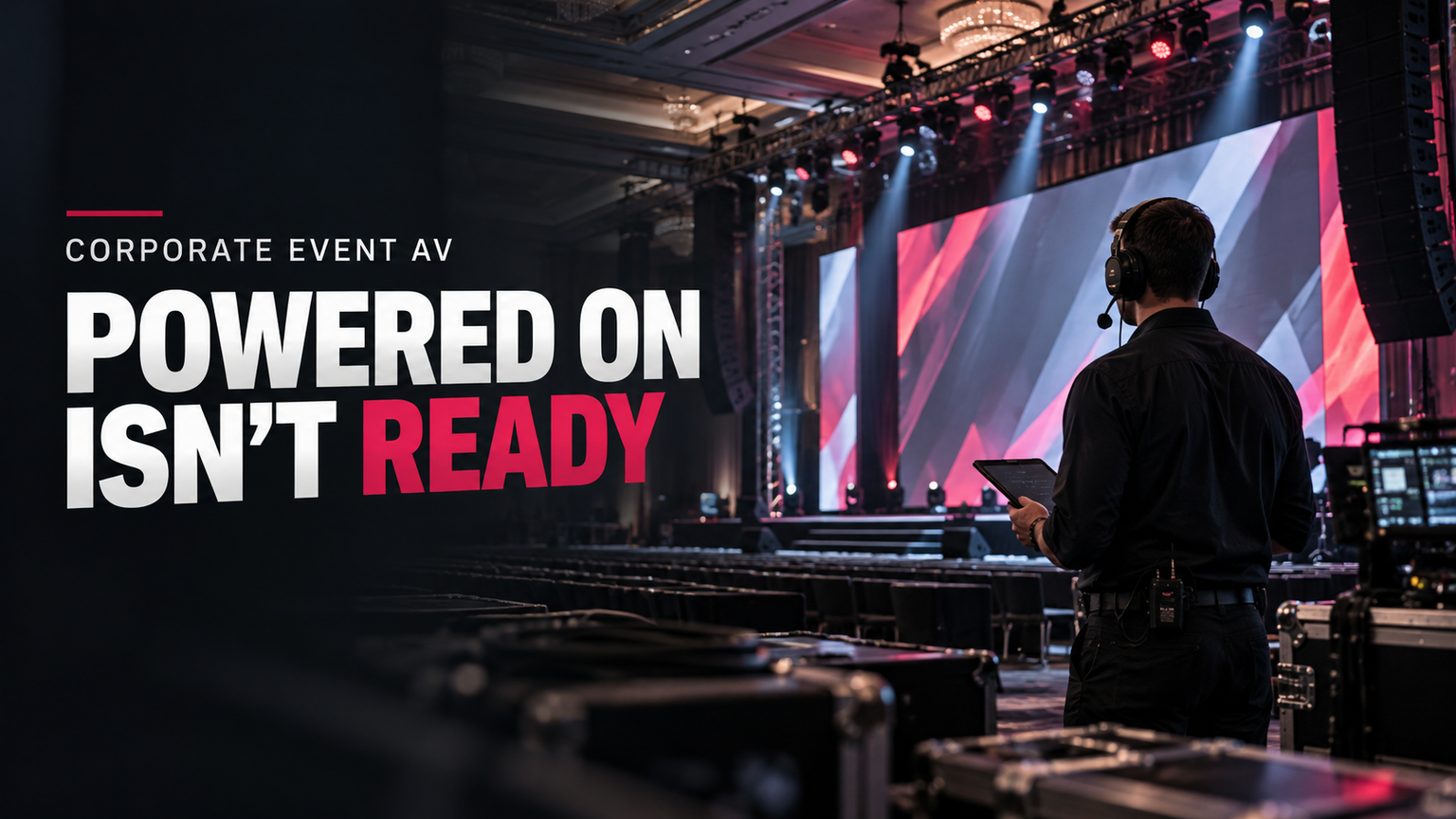
Equipment that powers on is not yet a verified event system.
The team must test the complete path, real content, cue states, and recovery options. That work belongs after build and before the audience enters.
AVIXA D402.02:2013 (R2024) defines a framework for deciding what needs verification, when to verify it, what metrics apply, and how results are reported.
For events, that logic can be turned into a practical preflight process.
Corporate event AV preflight matrix
| Check area | What to prove | Practical test | Failure consequence | Backup or response |
|---|---|---|---|---|
| Speech audio. | Clear coverage across required listener zones. | Walk the room with presenter mic and playback. | Audience misses key content. | Re-aim, re-level, add fill, or use an alternate path. |
| Displays. | Important content is readable from required seats. | Test real slides from far and off-axis seats. | Text or data becomes unusable. | Increase image size, revise content, or add relay displays. |
| Contrast. | The image works under show lighting. | Test with live stage and room cues. | Image washes out. | Reduce spill, alter lighting, or change display setup. |
| Signal path. | Critical sources reach all destinations. | Exercise every key source, switch, converter, and output. | Audio loss or black screen. | Use a tested alternate path. |
| Network. | Critical AV traffic remains stable. | Check links, clocks, subscriptions, switches, and backup paths. | Audio, video, or control loss. | Use the independent path where designed. |
| Power. | Distribution is planned and protected. | Check circuits, distribution, cable condition, and routing. | Trip, outage, damage, or safety risk. | Redistribute load or use an approved alternate feed. |
| Recording. | Required feeds are captured and recoverable. | Record and play back a test. | Lost archive or no edit recovery. | Use a secondary recorder or isolated feeds. |
| Show control. | Cues match the current run of show. | Conduct a technical rehearsal. | Wrong content or missed transition. | Use a manual fallback and clear cue ownership. |
The matrix is most useful when each row has an owner. A failed check should produce a clear next action, not a vague note.
Rehearse real cues
The rehearsal should include the moments most likely to expose faults:
- Presenter walk-ons and microphone handoffs.
- Slide changes and video playback.
- Remote contributors and return audio.
- Lighting states that affect screens.
- Recording start, stop, and playback checks.
- High-risk transitions between sessions or speakers.
- Backup-path activation for show-critical systems.
Testing only the easy parts gives false confidence.
Use recording as both a deliverable and a recovery tool
If the event content has high reuse value, isolated recording can protect more than the live program feed.
A program recording captures the final switched output. If a wrong camera was selected or a playback cue was missed, that mistake may be baked into the file.
Isolated, or ISO, recording keeps separate source feeds. That gives an editor more options later.
As one manufacturer example, Blackmagic Design's ATEM Television Studio HD8 ISO can record eight isolated video inputs, a program master, matching timecode, and separate audio files.
That does not make the product a universal choice. It simply shows what an ISO workflow can preserve.
For a low-risk internal meeting, program-only recording may be enough. A product launch, executive keynote, or reusable content shoot may justify more recovery depth.
Advanced AV-over-IP: use it when the complexity earns its keep
Advanced IP media systems are useful when scale, routing, distributed production, or broadcast needs justify them. They are not a default requirement for every ballroom.
SMPTE ST 2110 is a strong example. The suite defines separate synchronized video, audio, and data streams over managed IP networks.
ST 2110-20 covers uncompressed active video. ST 2110-30 covers PCM audio over IP by reference to AES67. ST 2110-40 covers ancillary data.
Those capabilities can matter in complex production environments. They can also add network design, timing, monitoring, and support needs.
A ballroom keynote does not become more reliable just because a broadcast transport standard is present. Use the architecture when its benefits solve a real production problem.
Myth check: common corporate AV assumptions
| Claim | Evidence-led verdict |
|---|---|
| Bigger speakers automatically fix speech problems. | No. Coverage, noise, gain structure, placement, and room conditions also matter. |
| Audience count alone determines screen size. | No. Viewing distance and content detail are central. |
| A brighter display always fixes a poor image. | No. Whole-system contrast under real lighting matters. |
| Two network cables mean redundant AV. | No. The paths and failure domains must be truly independent. |
| Equipment that powers on is show-ready. | No. The completed system still needs testing and rehearsal. |
| Every corporate event needs ST 2110. | No. It suits advanced professional media workflows, not every event. |
These myths have one thing in common. They judge isolated equipment rather than the full system.
Questions to ask an AV production company before approval
A useful proposal review should expose the design assumptions, test method, and recovery plan.
Ask:
- What are the farthest required listening and viewing positions?
- What real presentation content will be used to test readability?
- Will displays be checked under final stage and room lighting?
- Which signal failures could stop the program?
- What backup exists for presenter audio?
- What backup exists for presentation playback?
- If a network is called redundant, which parts are truly independent?
- What will be recorded: program only, isolated feeds, or both?
- Who owns each critical technical cue?
- What verification must be complete before doors open?
- Which venue, power, or electrical limits are still unresolved?
A strong answer should describe the path and the test. Brand names alone are not enough.
A simple show-ready scorecard
For a fast internal review, rate each critical area from 0 to 2.
- 0: The path is untested or the recovery method is unknown.
- 1: The primary path is tested and a recovery action is documented.
- 2: The primary path and a show-critical fallback have both been tested.
Apply the score to microphones, playback, switching, displays, audio distribution, networks, power, recording, show control, and communications.
This scorecard is an editorial tool, not an industry standard. Its purpose is to expose weak areas before the audience does.
FAQs
What does corporate event AV production include?
It usually covers sound, displays, playback, switching, signal distribution, show control, recording, power, networking, crew communication, and pre-show testing. The exact mix depends on the event.
A small meeting may use only a few of these parts. A keynote, hybrid event, or product launch may need all of them.
How do you choose the right screen size for a corporate event?
Start with the farthest required viewer and the smallest important content detail. Then use a current viewing-distance method.
Do not choose screen size from audience count alone. A long room and a shallow room with the same attendance can need very different display plans.
How should corporate event sound be tested?
Test speech across all required listener zones. Do not judge the system only from the mix position.
Also check room noise, gain structure, system noise, feedback risk, presenter movement, playback material, and spare microphone paths.
Does every corporate event need redundant AV?
No. Backup depth should match the consequence of failure.
A small breakout may accept manual recovery. A CEO keynote, live stream, or high-value launch may justify independent signal paths and hot spares.
What should be checked during an AV technical rehearsal?
Run the real cue sequence. Test microphones, slides, videos, remote feeds, display lighting states, recording, transitions, and critical backup paths.
A rehearsal should prove the system under show conditions, not just confirm that devices turn on.
Is LED always better than projection for corporate events?
No. The right choice depends on room light, viewing distance, content, size, space, rigging, budget, and production needs.
The verified evidence in this article supports judging the final image under real room conditions rather than assuming one display technology always wins.
What does “redundant network” mean in event AV?
It should mean that a critical media path can survive the network failure it was designed to protect against.
Two cables do not prove redundancy. Supported endpoints, separate paths, correct switch design, and tested failover matter.
Should an event record isolated camera feeds?
Use isolated recording when post-event recovery or editing value justifies it. It can help repair switching errors or build new versions later.
For a low-risk event with no editing need, a single program recording may be enough.
Final planning rule
The best corporate event AV plan is not the one with the longest equipment list. It is the one that can prove the audience will hear, see, and follow the show.
Start with listener and viewer needs. Map the critical paths. Protect the failures that matter. Document the system. Then rehearse it under the same conditions the audience will experience.
If you are reviewing an AV proposal, ask for the test plan as well as the equipment list. That one change often reveals whether the system was designed for the show or simply assembled around available gear.
